VideoProc Converter AI
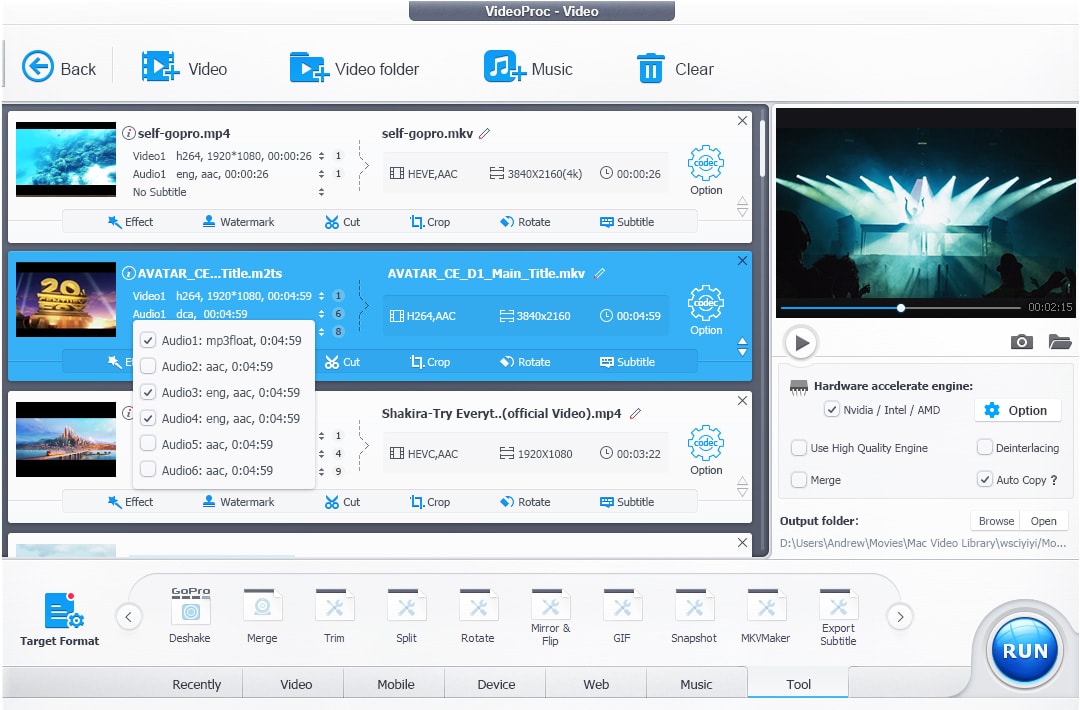
Free TrialVideoProc Converter AI is a desktop video processing application that combines AI video enhancement with format conversion, compression, and editing. It uses GPU acceleration for fast processing and offers AI-powered upscaling, frame interpolation, and stabilization.
Best for: Users needing video enhancement plus format conversion in one tool
How to use VideoProc Converter AI
Download VideoProc
Visit videoproc.com and download the application.
Install and open
Install the software and launch it.
Select AI feature
Choose AI enhancement, conversion, or other tools.
Import and configure
Import your video and set enhancement parameters.
Process and export
Let the AI process and export your enhanced video.
Alternatives to VideoProc Converter AI

HitPaw Video Enhancer AI
#73 in AI Video Tools
Desktop AI video enhancement tool for upscaling, denoising, and color correction.

Topaz Video AI
#71 in AI Video Tools
Desktop AI video enhancement tool for upscaling, denoising, and frame interpolation.
More AI Video Tools
View all →
CapCut
#1 in AI Video Tools
Free video editor with AI-powered features like auto-captions, background removal, and templates.

InVideo AI
#2 in AI Video Tools
AI-powered video generator that creates full videos from text prompts with voiceover and stock footage.

Pika
#3 in AI Video Tools
AI video generation platform that transforms text and images into creative short videos.

Runway ML
#4 in AI Video Tools
Professional-grade AI video tools for editing, generating, and enhancing video content.

Canva Video
#5 in AI Video Tools
Drag-and-drop video editor with AI features, templates, and a massive media library.

Kling AI
#6 in AI Video Tools
AI video generator producing highly realistic movements, physics, and long clips from prompts.